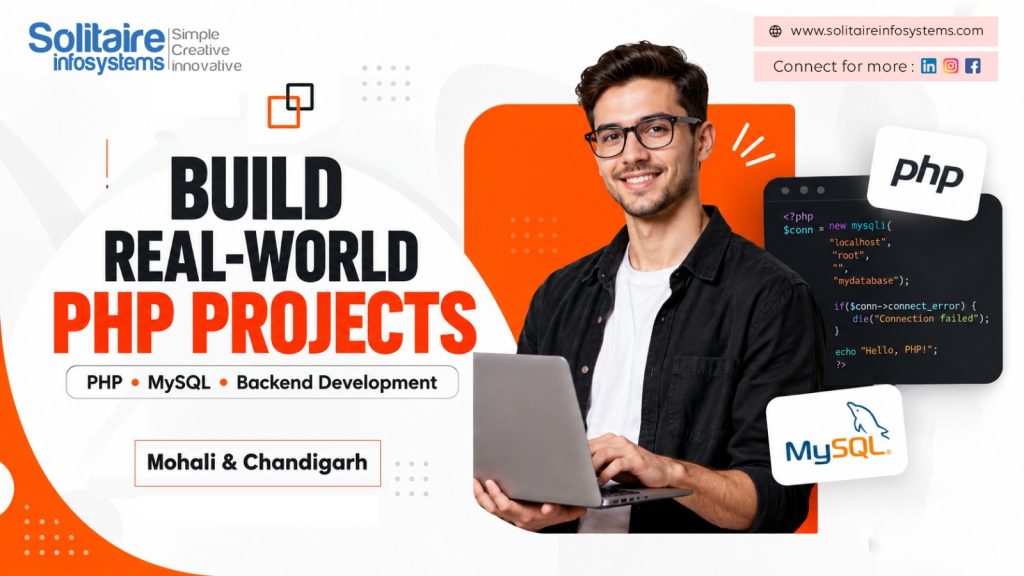
PHP Web Development Projects: 8 Practical Ideas to Build Job-Ready Skills - Solitaire Infosystems
Request a Quote !

Request a Quote !

Request a Quote !

Blogs

PHP Web Development Projects: 8 Practical Ideas to Build Job-Ready Skills

  • By: admin
  • date: Sep 23, 2026
Blog Image

Watching PHP tutorials teaches you syntax. Building PHP web development projects teaches you how real websites actually work: how a form sends data, how the server processes it, how a database stores it and how the result appears back on the screen.

For students and freshers, one well-built project often says more in an interview than a list of certificates. It proves you can plan an application, write backend logic, connect to MySQL, fix bugs and explain your decisions.

This guide covers eight practical PHP project ideas (from beginner to advanced), the skills and tools you need, a six-month learning roadmap, portfolio tips and the mistakes to avoid. It is written for students exploring PHP development training in Mohali and Chandigarh who want to become internship-ready.


Quick Answer: What Are PHP Web Development Projects?

PHP web development projects are practical web applications built with PHP on the server side, usually with MySQL as the database and HTML, CSS and JavaScript on the front end. Common examples include student management systems, booking systems, inventory systems and e-commerce stores. They help learners practise CRUD operations, form handling, user authentication and database design.


Why Should Students Build PHP Web Development Projects?

A project turns separate concepts into one working system. Instead of learning PHP functions in isolation, you see how the front end, backend logic and database connect to solve a real problem.

Building PHP projects helps students develop:

  • Backend programming skills: writing logic that processes requests and returns results
  • Database skills: designing MySQL tables and writing SQL queries
  • Security awareness: validating input, hashing passwords and preventing SQL injection
  • Problem-solving ability: reading errors, debugging and fixing issues independently
  • Portfolio proof: a working application recruiters can see and test
  • Interview confidence: real examples to discuss instead of textbook answers

A useful project does not need to be complicated. A simple application that is well planned, secure, tested and clearly explained demonstrates more skill than a large project copied from the internet.


Essential Skills Required for PHP Development

Before you start a complete project, make sure you are comfortable with the following building blocks.


PHP Programming

Learn variables, conditions, loops, functions, arrays, superglobals ($_GET, $_POST, $_SESSION) and basic object-oriented programming. These concepts power the logic of every PHP application.


HTML, CSS and JavaScript

HTML gives a page its structure, CSS controls layout and responsiveness, and JavaScript adds interactivity and client-side validation. Together they create the forms, dashboards and pages users interact with.


MySQL and SQL Queries

MySQL stores application data such as users, products, bookings and records. Understand tables, primary and foreign keys, relationships, joins and basic query optimisation.


CRUD Operations

CRUD stands for the four basic operations almost every PHP application performs on its data:

  • Create: add new records (for example, register a student)
  • Read: display stored records (view the student list)
  • Update: modify existing records (edit a student profile)
  • Delete: remove records (delete a student entry)


Form Handling and Validation

Forms collect user information. A PHP developer must receive, validate and sanitise submitted data before storing it, and show clear error messages when something is wrong.


Security Basics

Recruiters notice when a fresher writes secure code. Learn these essentials early:

  • Use prepared statements (PDO or MySQLi) to prevent SQL injection
  • Store passwords with password_hash() and check them with password_verify()
  • Escape output with htmlspecialchars() to prevent cross-site scripting (XSS)
  • Manage logins securely with sessions and proper logout handling

Git and GitHub

Version control lets you track changes, recover from mistakes and share your code. A GitHub profile with clean commits is one of the easiest ways to show recruiters your work.


Tools You Need to Start a PHP Project

Tool Purpose
XAMPP / WAMP / Laragon Runs Apache, PHP and MySQL on your computer
VS Code Code editor with PHP extensions and debugging support
phpMyAdmin Visual interface to create and manage MySQL databases
Git and GitHub Version control and online portfolio hosting
Browser DevTools Inspect pages, test responsiveness and debug JavaScript
Composer (later stage) Manages PHP libraries and frameworks such as Laravel


8 Practical PHP Project Ideas for Students

The table below gives a quick overview. Start with a beginner project, finish it completely, then move up a level.


Project Level Main Skills Practised
Student Management System Beginner CRUD, forms, search
Online Complaint Management System Beginner Login, status tracking, admin panel
Appointment Booking System Intermediate Date handling, workflows, email alerts
Online Book Exchange Platform Intermediate Authentication, file uploads, relationships
Inventory Management System Intermediate Business logic, reports, stock alerts
Blog / Content Management System Intermediate Rich text, categories, user roles
Job Portal Advanced Multi-role access, resume upload, filtering
E-Commerce Store Advanced Cart, sessions, orders, payment flow


Student Management System

Level: Beginner

A web application that helps schools, colleges or training institutes manage student information from one dashboard.

Key features:

  • Student registration form
  • Add, edit and delete student records
  • Course and department details
  • Search and filter options
  • Admin dashboard with login

What you will learn: CRUD operations, database connectivity, form validation and table design.

Level it up: Add attendance tracking, marks entry and a downloadable PDF report card.


Online Complaint Management System

Level: Beginner

Users submit complaints and track their progress, while an admin reviews and resolves them.

Key features:

  • User registration and login
  • Complaint submission with categories
  • Status tracking (pending, in progress, resolved)
  • Admin response panel
  • Complaint history for each user

What you will learn: Role-based access, sessions, status management and dashboard development.

Level it up: Add email notifications when a complaint status changes.


Appointment Booking System

Level: Intermediate

Users choose a service, select a date and time slot and submit a booking. It can be built for a clinic, salon, consultancy or training centre.

Key features:

  • Service listing
  • Date and time slot selection
  • Booking confirmation page
  • Admin booking management
  • Prevention of double-booking

What you will learn: Date and time handling, validation logic and real business workflows.

Level it up: Add a calendar view and automatic email or SMS reminders.


Online Book Exchange Platform

Level: Intermediate

Users list books they own and connect with others who want to exchange or borrow them.

Key features:

  • User registration and login
  • Add book details with cover images
  • Search by title, author or category
  • Send and accept exchange requests
  • Manage personal listings

What you will learn: Authentication, secure file uploads, table relationships and user-specific data.

Level it up: Add a messaging feature between users and a rating system.


Inventory Management System

Level: Intermediate

Helps a small business manage products, stock quantities and supplier records.

Key features:

  • Add and update products by category
  • Stock-in and stock-out entries
  • Low-stock alerts
  • Supplier details
  • Stock reports with date filters

What you will learn: Business logic, calculations, reporting and data filtering.

Level it up: Export reports to Excel or PDF and add charts to the dashboard.


Blog or Content Management System (CMS)

Level: Intermediate

A mini version of a blogging platform where admins and authors create, edit and publish posts.

Key features:

  • Admin and author roles
  • Create, edit and publish posts
  • Categories and tags
  • Image uploads
  • Comment moderation

What you will learn: User roles and permissions, rich content handling and SEO-friendly URLs.

Level it up: Add a search bar, pagination and a draft/scheduled post feature.


Job Portal

Level: Advanced

Connects job seekers with employers, with separate dashboards for each type of user.

Key features:

  • Separate candidate and employer accounts
  • Job posting and editing
  • Resume upload
  • Job search with filters
  • Application tracking for both sides

What you will learn: Multi-role architecture, complex queries, file handling and filtering.

Level it up: Add email alerts for new matching jobs and an admin approval step for employers.


E-Commerce Store

Level: Advanced

A complete online shop with product listings, a shopping cart and order management.

Key features:

  • Product catalogue with categories
  • Shopping cart using sessions
  • User accounts and order history
  • Checkout and order confirmation
  • Admin panel for products and orders

What you will learn: Sessions, relational database design, order workflows and security.

Level it up: Integrate a payment gateway in test mode and rebuild the project in Laravel.


Six-Month PHP Learning Roadmap

If you are following a six-month PHP industrial training programme or learning on your own, this month-by-month plan keeps your progress structured:


Month Focus Outcome
Month 1 HTML, CSS, JavaScript basics and responsive design Build static, mobile-friendly web pages
Month 2 Core PHP: syntax, functions, arrays, forms, sessions Process forms and handle user input
Month 3 MySQL, SQL queries, CRUD and security basics Complete a beginner project (for example, Student Management System)
Month 4 OOP in PHP, file uploads, authentication, Git Complete an intermediate project with login and roles
Month 5 Introduction to Laravel (MVC), APIs and AJAX Build or rebuild a project using a framework
Month 6 Major project, testing, deployment, documentation, interview preparation A live, documented portfolio project and interview readiness


How to Present a PHP Project in Your Portfolio

A project creates value only when others can see it and understand it. For each project, prepare:

  • A GitHub repository with clean, well-named files and regular commits
  • A README file covering the objective, technologies used, features and setup steps
  • Screenshots or a short demo video of the main screens
  • A live demo link, if possible, hosted on a free or low-cost server
  • Database structure (an ER diagram or table list)
  • Challenges and solutions: one or two technical problems and how you fixed them

In an interview, be ready to explain why you chose the project, how your database is designed, how login works, how you secured the application and what you would improve next.


Common Mistakes Students Should Avoid

  • Copying code without understanding how it works
  • Starting to code before planning the database
  • Writing SQL queries directly with user input instead of prepared statements
  • Storing passwords as plain text
  • Using unclear variable, file and table names
  • Creating pages that break on mobile screens
  • Skipping testing and error handling
  • Adding too many features before the basic version works
  • Not keeping documentation or a README
  • Being unable to explain your own project in an interview


How to Choose the Right PHP Project

Pick a project that matches your current level and career goal, then follow these steps:

  1. Choose a problem you understand well, such as one from college, a shop or a clinic.
  2. List the core features and keep the first version small.
  3. Design the database tables before writing any code.
  4. Split the project into modules such as login, dashboard and reports.
  5. Build and test one module at a time.
  6. Add advanced features only after the basic system works.
  7. Document your progress and push code to GitHub regularly.


PHP Training and Internship Opportunities in Mohali and Chandigarh

Self-learning builds a foundation, but guided practice speeds up progress. Working with mentors helps you catch mistakes early, follow industry coding standards and build projects that look professional.

When comparing a PHP development course in Mohali, look for a programme that offers:

  • Hands-on coding tasks instead of theory-only classes
  • Live projects that reflect real client requirements
  • Mentor feedback and code reviews
  • Training in security, Git and at least one framework such as Laravel
  • Portfolio preparation and mock interviews
  • Internship or placement guidance after the programme

At Solitaire Infosystems, students learn PHP through practical, project-based sessions guided by experienced developers. If you want to build real projects and prepare for your first development role, explore our PHP training in Mohali and Chandigarh and speak with our team about the right programme for you.


Frequently Asked Questions

Which PHP projects are best for beginners?

A Student Management System or an Online Complaint Management System is ideal for beginners. Both cover forms, MySQL, CRUD operations and basic login without being overwhelming.


Is MySQL necessary for PHP projects?

MySQL is not required for every PHP exercise, but almost every real-world PHP application needs a database. Learning MySQL alongside PHP is strongly recommended.


Can PHP projects help me get an internship?

Yes. A complete, working project on GitHub shows recruiters that you can build backend features, manage databases and solve problems, which is exactly what internship interviews test.


What should I learn before starting a PHP project?

Learn PHP basics, HTML, CSS, basic JavaScript, MySQL and CRUD operations. Basic security practices such as prepared statements and password hashing are also important.


Should I learn Laravel or core PHP first?

Start with core PHP. Understanding how PHP works without a framework makes Laravel much easier to learn later and helps you answer fundamental interview questions.


What is included in six-month PHP industrial training?

A six-month programme usually covers web fundamentals, core PHP, MySQL, security, OOP, a framework such as Laravel, live project development, testing, documentation and interview preparation. The exact curriculum depends on the training provider.


Is PHP still worth learning?

Yes. PHP continues to power a large share of websites, including WordPress sites and many business applications, so there is ongoing demand for developers who can build and maintain PHP projects.


Conclusion

PHP web development projects are the most practical way to turn programming knowledge into job-ready skills. Start with a beginner project such as a Student Management System, move on to booking or inventory systems, and challenge yourself with a job portal or e-commerce store.

Focus on understanding every line you write, keep your code secure, document your work and publish it on GitHub. With consistent practice and structured guidance, your projects can become the strongest part of your resume.

Ready to build your first real PHP project? Explore PHP development training at Solitaire Infosystems and start your journey toward a career in web development.

About the Author

Comments