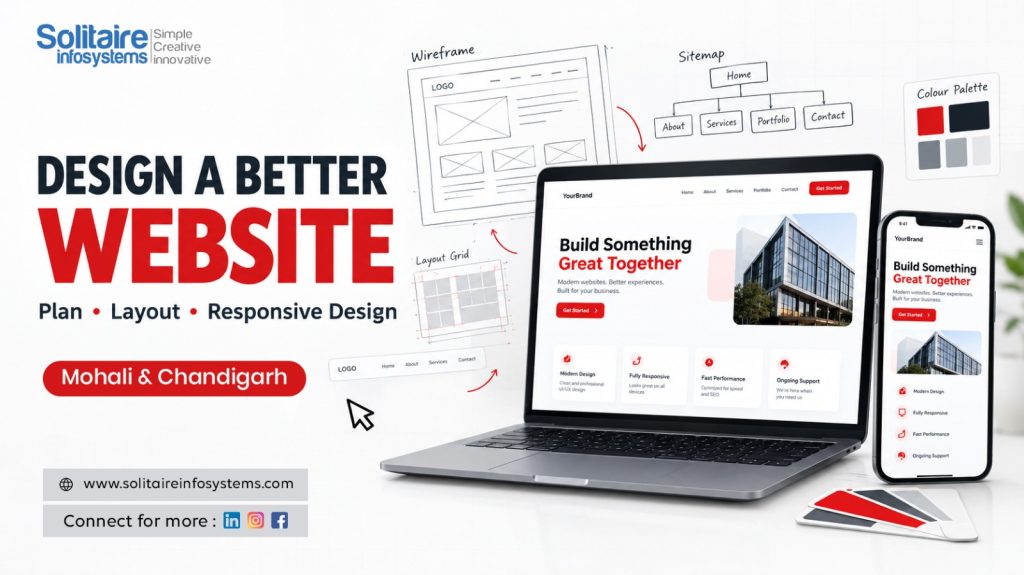
Website Designing Tips for Beginners: How to Plan a User-Friendly Website - Solitaire Infosystems
Request a Quote !

Request a Quote !

Request a Quote !

Blogs

Website Designing Tips for Beginners: How to Plan a User-Friendly Website

  • By: admin
  • date: Sep 24, 2026
Blog Image

Your website is often the first place a potential customer meets your business, and most visitors decide within a few seconds whether to stay or leave. A site that looks attractive but is confusing to use loses visitors just as quickly as one that looks outdated.

That is why the best website designing tips for beginners start long before colours and fonts. Good design begins with planning: knowing why the website exists, who it is for, and how each page will guide visitors to the right information and action.

In this guide, you will learn a simple 10-step process to plan a user-friendly website that is easy to navigate, readable, fast and comfortable to use on any device. Whether you are a student, a fresher or an aspiring web designer in Mohali or Chandigarh, you can follow these steps on every project you build.

Quick answer: To plan a user-friendly website, define its purpose, understand your audience, create a sitemap, design simple navigation, build mobile-first, keep the visual design consistent, write scannable content, add clear calls to action, optimise speed and accessibility, and test everything before launch.


What Makes a Website User-Friendly?

A user-friendly website lets visitors find what they need, understand it quickly and take the next step without effort. In practice, it has five qualities:

  • Easy to navigate – visitors always know where they are and where to go next.
  • Easy to read – clear headings, short paragraphs and good contrast.
  • Responsive – the layout works on desktops, tablets and smartphones.
  • Fast – pages load quickly, even on mobile data.
  • Accessible – people of all abilities can use it comfortably.


Why Website Planning Comes Before Design

Website planning gives the design and development process a clear direction. It helps you understand the website’s purpose, target audience, content requirements and overall structure before a single page is designed. Proper planning helps you:

  • Create a clear, logical website layout.
  • Improve the overall user experience.
  • Reduce costly redesigns and last-minute changes.
  • Organise content so it is easy to find.
  • Make the website work well on every device.
  • Align the website with business and marketing goals.

Skipping this stage is one of the most common reasons beginner projects go through endless revisions. A planned website is easier to build, manage, update and improve.


10 Essential Steps to Plan a User-Friendly Website

Define the Purpose of the Website

Start by identifying the main goal of the website. The purpose decides its structure, content, design style and features. A website may be created to:

  • Promote a business or service.
  • Sell products online.
  • Share educational information.
  • Showcase a portfolio.
  • Generate leads and enquiries.
  • Offer online bookings or customer support.

Pro tip: Write the purpose in one sentence, for example: “This website helps students in Chandigarh enquire about web design courses.” Every design decision should support that sentence.


Understand Your Target Audience

A website should be designed around the people who will use it. Before you design anything, answer these questions:

  • Who are the target visitors?
  • What problems are they trying to solve?
  • What information do they need first?
  • Which devices do they mostly use?
  • What action should they take on the website?

Turning these answers into a simple user profile (for example, “a college student comparing courses on a smartphone”) helps you create relevant content and a more comfortable browsing experience.


Create a Clear Website Structure and Sitemap

A clear structure makes information easy to find. Prepare a basic sitemap, which is a map of all the pages and how they connect, before designing individual pages. A simple business website may include:

  • Home
  • About Us
  • Services
  • Products or Courses
  • Blog
  • Contact Us

Give every page one clear purpose and group related information together. As a rule of thumb, keep important pages within about three clicks of the homepage. Next, sketch simple wireframes (basic page outlines on paper or in a tool such as Figma) to decide where headings, images and buttons will sit before you add colours and styling.


Use Simple and Consistent Navigation

Navigation helps users move from one page to another. Visitors should never have to guess where a link will take them. Good navigation practices include:

  • Use short, familiar menu labels such as “Services” and “Contact”.
  • Keep the main menu to around five to seven items.
  • Place the menu in the same position on every page.
  • Link the logo back to the homepage.
  • Add a search bar if the website has a lot of content.
  • Include key links, such as contact details, in the footer.


Design Mobile-First with Responsive Layouts

Responsive web design allows a website to adjust its layout automatically to different screen sizes, including desktops, tablets and smartphones. Because a large share of visitors browse on mobile, and Google primarily uses the mobile version of a site for indexing, a mobile-first approach is the safest starting point. Focus on:

  • Flexible grid layouts that resize smoothly.
  • Images that scale without stretching or cropping important content.
  • A compact mobile menu that is easy to open and close.
  • Body text of at least 16px for comfortable reading.
  • Buttons and links large enough to tap, ideally around 44 × 44 pixels.
  • Testing on real phones, not only in a desktop browser.

Designing for the small screen first forces you to prioritise the most important content, which usually improves the desktop version as well.


Keep the Visual Design Clean and Consistent

A professional website has a balanced, consistent look. Too many colours, fonts or decorative elements make a page feel cluttered and harder to trust.

  • Colour: Choose a small palette that matches the brand. A useful guide is the 60-30-10 rule: 60% main colour, 30% secondary colour and 10% accent colour for buttons and highlights.
  • Typography: Use one or two readable font families. Make headings clearly larger and bolder than paragraph text.
  • Spacing: Leave enough white space around headings, paragraphs, images and sections so content can breathe.
  • Visual hierarchy: Make the most important elements, such as headings, offers and buttons, stand out through size, colour and position.


Write Useful, Scannable Content

Great design depends on great content. Most visitors scan a page before they read it, so present information in a way that is quick to absorb:

  • Keep paragraphs short, around two to four lines.
  • Use descriptive headings that tell readers what each section covers.
  • Use bullet points for steps, features and lists.
  • Write in simple, everyday language.
  • Support text with relevant images, icons or diagrams.
  • Use keywords naturally to help search engines understand the page.

Every page should answer the visitor’s questions and guide them towards the next step.


Add Clear Calls to Action (CTAs)

A call to action (CTA) is a button or link that tells visitors what to do next, such as Enquire Now, Get Started, Book a Demo, Download Brochure, Apply Now or Contact Us. To make CTAs effective:

  • Start with an action verb and keep the text short.
  • Use a contrasting colour so the button stands out.
  • Focus on one main action per page to avoid confusion.
  • Place CTAs where visitors need them, near the top of the page and after key sections.


Optimize Website Speed and Accessibility

Slow pages frustrate visitors and can hurt search rankings. Improve performance by:

  • Compressing images and using modern formats such as WebP.
  • Lazy-loading images that appear further down the page.
  • Limiting heavy animations, unnecessary plugins and third-party scripts.
  • Checking performance regularly with free tools such as Google PageSpeed Insights.

Aim to meet Google’s Core Web Vitals targets: main content loading within 2.5 seconds (LCP), pages responding to interactions within 200 milliseconds (INP) and a stable layout that does not jump around while loading (CLS below 0.1).

Accessibility makes your website usable for everyone, including people with visual or motor impairments. Add descriptive alt text to images, keep a strong contrast between text and background, label all form fields clearly and make sure the website can be used with a keyboard alone.


Test Everything Before Launch

Testing catches design and functionality issues before real users find them. Before launching, check that:

  • All internal and external links work.
  • Pages display correctly on mobile, tablet and desktop.
  • The website works in Chrome, Safari, Firefox and Edge.
  • Forms submit successfully and confirmation messages appear.
  • Images load properly and are not blurry or stretched.
  • Buttons and menus are easy to use on touchscreens.
  • Content is free from spelling and grammar errors.

Ask a friend who has never seen the website to complete a simple task, such as finding the contact form. Watching real people use your design is one of the fastest ways to spot problems.


Common Website Designing Mistakes to Avoid

Mistake Better Approach
Too many colours and fonts Use a small colour palette and one or two font families.
Complicated navigation menus Keep five to seven clear menu items in a consistent position.
Ignoring mobile users Design mobile-first and test on real devices.
Large, unoptimised images Compress images and use WebP where possible.
Long, unclear content Use short paragraphs, headings and bullet points.
Hidden contact details Show contact options in the header, footer and contact page.
Too many pop-ups Use pop-ups sparingly and make them easy to close.
Skipping testing Check every link, form and page before launch.
Designing only for looks Balance appearance with usability and clear goals.


Essential Web Design Skills for Beginners

Web designing needs a mix of creative and technical skills. Here are the core skills every beginner should build:

Skill What It Helps You Do
HTML Build the structure and content of web pages.
CSS Style pages and create layouts, colours and spacing.
JavaScript (basics) Add interactive features such as menus, sliders and form checks.
Responsive design Make websites work smoothly on every screen size.
UI/UX principles Design interfaces that are easy and pleasant to use.
Wireframing (e.g. Figma) Plan page layouts before building them.
Image optimisation Keep websites visually rich without slowing them down.
Basic SEO Help pages rank and get found on search engines.
Testing and debugging Find and fix issues before users notice them.


Real projects are the fastest way to turn these skills into confidence. Hands-on experience, such as a Website Development Internship in Mohali, shows you how design decisions work on live websites for real clients.


Learn Website Designing Through Practical Training

Reading about design principles is a good start, but applying them is what makes you job-ready. Practical assignments teach you how to meet real client requirements, deadlines and feedback. Beginners can practise by building portfolio websites, business websites, landing pages and responsive web pages.

Structured Web Designing Training helps learners gain confidence in:

  • Planning website layouts and sitemaps.
  • Creating responsive pages with HTML and CSS.
  • Designing clear navigation menus.
  • Building user-friendly interfaces.
  • Testing websites across devices and browsers.

If you are looking for guided, hands-on learning, a practical Web Design Course in Chandigarh can help you build a strong portfolio. For students who want to go further into full website building, Web Development Industrial Training offers exposure to real project workflows used by professional teams.


Key Takeaways

  • Plan the purpose, audience and structure before you start designing.
  • Keep navigation simple, consistent and predictable.
  • Design mobile-first and test on real devices.
  • Use a clean visual style with clear hierarchy and strong CTAs.
  • Optimise for speed and accessibility, and test everything before launch.


Frequently Asked Questions

What is the first step in website designing?

The first step in website designing is defining the website’s purpose and identifying its target audience. These two decisions shape the site structure, content, design style and features, so everything that follows is built on them.

What is responsive web design and why is it important?

Responsive web design is an approach where a website automatically adjusts its layout to fit different screen sizes. It is important because it gives visitors a smooth experience on desktops, tablets and smartphones, and supports better search visibility.

What skills do beginners need for website designing?

Beginners should learn HTML, CSS, basic JavaScript, responsive design, UI/UX principles, wireframing, basic SEO and website testing. Building real projects alongside these skills helps them stick.

What makes a website user-friendly?

A user-friendly website has clear navigation, readable content, fast loading speed, a responsive layout, accessible design and visible calls to action that guide visitors to the next step.

Do I need to know coding to become a web designer?

You can build simple websites with drag-and-drop builders, but learning HTML and CSS gives you far more control over layout and performance. Coding knowledge also improves your career opportunities as a web designer.

Is practical training useful for learning website designing?

Yes. Practical training lets students apply design concepts through real assignments and live projects, build a portfolio and gain the confidence employers look for when hiring web designers in Mohali, Chandigarh and beyond.


Conclusion

A successful website is planned before it is designed. By defining the purpose, understanding your audience, creating a clear structure, designing mobile-first and testing before launch, you can build websites that are attractive, easy to use and effective.

Use these website designing tips for beginners on your next project, and keep practising with real websites. With the right skills and hands-on experience, you can build a strong foundation for a rewarding career in web designing and development.

Ready to start? Explore practical Web Designing Training at Solitaire Infosystems in Mohali and build real, responsive websites with expert guidance.

About the Author

Comments