Vibe Coding Explained: What It Is and Where It Breaks - Solitaire Infosystems
Request a Quote !

Request a Quote !

Request a Quote !

Blogs

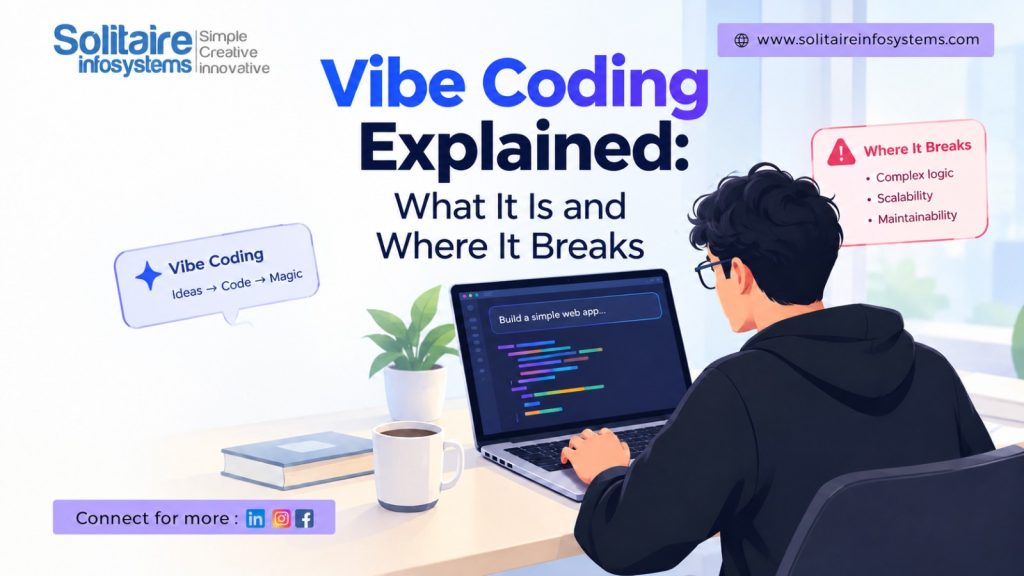
Vibe Coding Explained: What It Is and Where It Breaks

  • By: admin
  • date: Oct 24, 2026
Blog Image

You type one line into an AI assistant: “Build me a music player app with dark mode.” A few seconds later you have a working screen, a play button and a playlist panel. You didn’t write a single function. You looked at it, asked for a bigger album cover, and moved on.

That’s vibe coding. If you’re doing a B.Tech, BCA or MCA right now, you’ve probably tried some version of it already, maybe for a college project the night before submission.

It’s a genuinely useful way to work. It’s also the reason so many student projects fall apart the moment someone asks, “Okay, how does this part work?” This post covers both sides.


What is vibe coding?

Vibe coding means building software mostly by describing what you want to an AI tool and accepting the code it produces, without reading or writing most of it yourself.

The term comes from Andrej Karpathy, an OpenAI co-founder and former head of AI at Tesla. In a post in February 2025, he described a style of coding where you go with the vibes and almost forget the code exists. The phrase spread fast enough that Collins Dictionary picked “vibe coding” as its Word of the Year for 2025.

One detail usually gets left out: Karpathy said this approach was fine for throwaway weekend projects. Not for software that real people depend on.

In practice, the tools are things like ChatGPT, Claude, GitHub Copilot and Cursor. Your role shifts. Instead of typing syntax, you describe features, test what comes back, and keep prompting until it looks right. You’re working more like a product owner than a programmer.


Does vibe coding mean you don’t need to learn coding?

No. And this is the part students most often get wrong.

AI output is only as good as your ability to judge it. If you can’t read the code, you can’t tell whether it’s correct, slow, or quietly leaking user data. Think of Google Maps. It’s brilliant, but nobody hands you a car licence because you can follow directions. You still need to know how to drive when the route makes no sense.


Where vibe coding actually works

Used for the right jobs, it saves hours:

  • Quick prototypes and demos to test an idea before you build it properly
  • UI layouts, landing pages and simple frontends
  • Boilerplate: login forms, CRUD screens, config files
  • Small scripts that automate boring work, like renaming files or cleaning up a CSV
  • Understanding unfamiliar code, by asking the AI to explain what a function does


Where vibe coding breaks

1. Code that looks right but isn’t

AI tools predict the most likely code. They don’t check it against your project. So you get functions that don’t exist, outdated library syntax, or logic that skips edge cases. Because it looks clean and confident, it’s easy to trust.

2. Security holes

Hardcoded API keys. SQL queries built by joining strings together. Pages that skip the login check. All of these work perfectly in a demo, and all of them are a problem the day the app goes live.

3. The debugging wall

Say the AI gives you 500 lines of backend code and it throws an error. You paste the error back. It fixes one thing and breaks two others. You paste again. Without understanding how data moves through the app, how the database is structured, or what the error message is actually telling you, you end up going in circles for hours.

4. Logic that’s specific to your problem

AI handles common patterns well. It struggles with rules that only exist in your project: a fee structure with five exceptions, a query that’s slow on two lakh rows, a payment flow where the network drops halfway. Someone who understands the problem has to steer.

5. You can’t explain your own project

In a viva, a code review or an interview, someone will ask why you chose a particular approach. “The AI wrote it” ends that conversation quickly.

Put simply: AI can write code, but it can’t take responsibility for it. That part is still your job.


How to use AI coding tools without getting stuck

You don’t have to avoid AI. You just need some habits that keep you in control:

  1. Write the first version yourself when you’re learning something new, then ask AI to review it.
  2. Read every line before you keep it. If something doesn’t make sense, ask the AI to explain it, then check that the explanation holds up.
  3. Ask for small pieces, one function or one component at a time, not a whole app in one prompt.
  4. Use Git. Commit before accepting a big AI change so you can roll back when it goes wrong.
  5. Test the boring cases: empty input, wrong password, slow internet, duplicate entries.
  6. Keep secrets out of prompts and code. API keys and passwords belong in environment variables.


Will companies reject you for using AI tools?

Generally, no. Plenty of development teams use AI assistants every day, and knowing how to use them well is useful. What interviews test is everything behind the tool: your logic, how you debug, whether you can explain your own project, and how you think about structuring a system.

Some companies also run live coding rounds where AI isn’t allowed. If your skills only exist inside a chat window, that round will be tough.


What students should focus on instead

If you want AI to make you faster rather than more dependent, build these foundations first:

  • One programming language learned properly, such as Python, Java or JavaScript
  • Data structures and algorithm basics
  • Databases and SQL
  • Git and GitHub
  • How web apps talk to each other: APIs, HTTP requests and responses
  • Debugging and reading other people’s code

The other piece is experience on a real project, with deadlines, code reviews and requirements that change halfway through. College labs rarely give you that.

That gap is what industrial training is meant to fill. At Solitaire Infosystems, students in our 6-month industrial training and internship programmes work on live projects where AI tools are part of the workflow, but you’re still expected to understand, debug and explain what you build. We also offer a stipend-based internship and placement assistance, including mock technical interviews and help putting together your portfolio.


FAQs about vibe coding

Who came up with the term “vibe coding”?

Andrej Karpathy, an OpenAI co-founder, introduced it in February 2025 to describe building software by prompting AI and accepting its code with little manual review.

Is vibe coding good for beginners?

It’s a nice way to see quick results and stay motivated. It becomes a problem when it replaces learning the basics, because you can’t fix what you don’t understand.

Is vibe coding safe for real projects?

Only with proper review and testing. AI-generated code can contain bugs and security issues that don’t show up until real users touch it.

Which tools are used for vibe coding?

Common ones include ChatGPT, Claude, GitHub Copilot and Cursor. The tool matters less than your ability to check what it produces.


Learn to work with AI, not depend on it

Our January 2027 batch for 6-month industrial training, 6-month internship and stipend-based internship is open for enquiries. If you’d like to know which track suits you, talk to us:

  • Call: 98766 56700
  • Email: info@solitaireinfosystems.com
  • Visit: C-110, Phase 7, Industrial Area, Mohali, Punjab
  • Enquire online: com/contact-us


One question before you go: which AI tool are you using for your college projects right now, and which language do you want to get properly good at? Drop it in the comments.

About the Author

Comments