Top 10 tools for Web Developers - Solitaire Infosystems
Request a Quote !

Request a Quote !

Request a Quote !

Blogs

Top 10 tools for Web Developers

  • By: admin
  • date: Feb 12, 2025
Blog Image

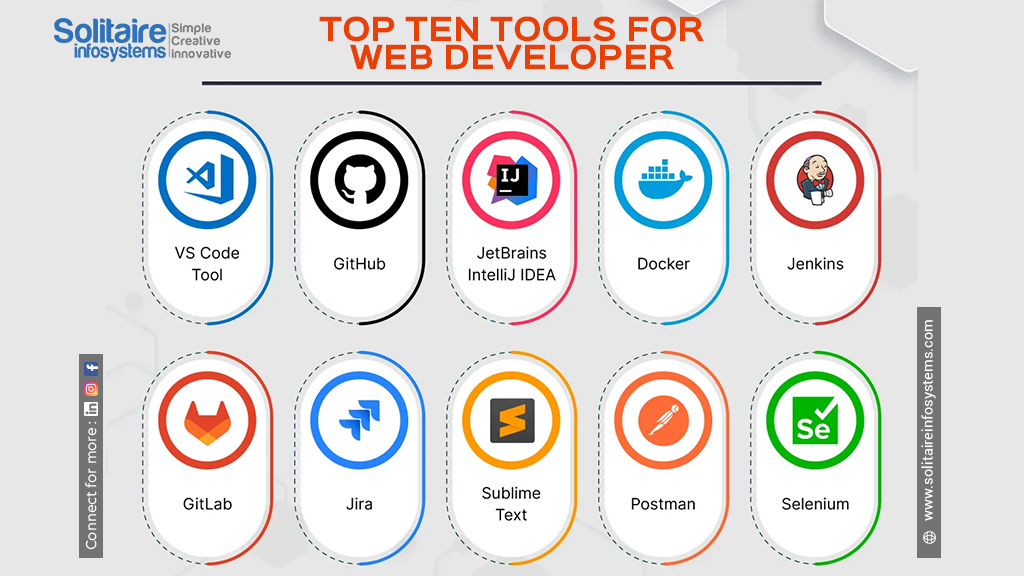
The World of web development is constantly evolving, with new technologies and tools emerging all the time. Staying up-to-date with latest and greatest can be a challenge, but having the right tools at your disposal can significantly boost your productivity and the quality of your work. The web development tools allow developers to craft fast, scalable and responsive website with ease.

Visual Studio Code (VS code): Your versatile code editor

VS code has become a powerhouse in the editor arena. Its lightweight nature, combined with vast library of extensions, make it incredibly versatile. It can be used on variety of programming languages, weather you are working on JavaScript, Python, Html, or any other language. VS code has covered with features like IntelliSense, debugging tools and Git integration. It can be used for frontend, backend and also for managing database like My SQL, Mongo DB and so on.


Chrome DevTools: The front-end developer’s best friends  

DevTools are indispensable for front-end development, we can directly build into the chrome browser. Its Comprehensive suits of features impowers you to build, debug, and optimize the websites with unparalleled efficiency. By mastering DevTools you can significantly improve your productivity and quality of your work. They provide you with a wide range of debugging tools, including breakpoints, stepping and watch expressions. Chrome DevTools is constantly being updated with new features and improvements, so staying up-to-date with the latest changes can help you to take the advantage of the most powerful tools available.


Git/GitHub: Version Control is key

GitHub is a free-of-cost, web-based platform for version control and collaboration built upon the Git tool. It tracks changes to your code, allowing you to collaborate effectively with fellow buggy developers on project. It is very popular to utilized in maintaining code repositories, tracking ongoing changes to your code. More than that it has large number of open-source projects are hosted on GitHub, GitLab and Big bucket, and contributes to community driven code bases.


Node Package Manager(npm) or Yarn: Managing Your Dependencies  

For JavaScript developers, npm or Yarn are essential for manging project dependencies. They simplify the process of building complex and robust application. They save your time, reduce errors, and ensure consistency across your development environment. It also helps in manging the process of installing, updating, sharing libraries and frameworks that saves your countless hours of mutual configuration. For most developers, the choice between npm and Yarn comes down to personal preference. Both are excellent tools. If you’re starting a new project, you can try both and see which one you prefer.


Tailwind CSS: Rapid styling for responsive design

Tailwind CSS offers a utility-first approach for styling, allowing you to build responsive and visually appealing websites without writing custom CSS form scratch. Its pre-defined classes make it easy to create consistence and maintainable designs. While it’s utility-first, Tailwind is highly customizable. You can configure the framework to match your design system and create your own utility classes. Tailwind is a great choice for projects where rapid development, customization, and maintainability are important. It’s particularly well-suited for building complex user interfaces and responsive designs. However, it’s worth noting that there is a learning curve associated with mastering the utility classes.


Postman: Testing your API’s

Postman is a powerful tool for testing API’s (Application Programming Interface). It allows creating, testing and documenting APIs much more easily. Thus, for backend and full stack developer who often interact with API’s, Postman proves to be a necessary utility tool. It also allows you to send various types of requests, inspect responses, and automate API testing, which is crucial for back-end development and integrating with third-party services. It does support automated testing, thus the integration of APIs with continuous deployment.


SASS

It stands for Syntactically Awesome Stylesheets. It helps the developer in writing more maintainable and scalable CSS code, especially for large projects involving complex style sheet. SASS is a CSS processor augmenting CSS by adding features such as variable, nested rules, mixins and functions among others. Essentially, Sass lets you write CSS with logic and structure, which is then compiled down to regular CSS that browsers can understand. It needs to be compiled into standard CSS before it can be used on a website. This compilation process is typically done using a command-line tool or a build process integrated into your development workflow.


Docker: Containerizing your applications

Docker is a platform for building, shipping, and running applications in containers. It is a powerful tool that has revolutionised the way applications are built, shipped and run. Its containerization technology offers numerous benefits, including consistency, portability, isolation, efficiency, and scalability. If you’re developing and deploying applications, learning Docker is a valuable investment. Docker allows you to package your applications and their dependencies into containers, ensuring consistency execution across different environment.


Webpack or Parcel: Bundling your Assets

Module bundlers like Webpack and Parcel optimize your website’s performance by combining and minifying your JavaScript, CSS and other assets. This tool pre-processes and bundles different assets of an application such as HTML, CSS, JavaScript, images into various optimised production ready files. Webpack help developers maintain their dependency graph and efficiently load their resources while improving developer workflow and application performance.


 Jest

Jest is a JavaScript runner for Facebook that helps make sure the code works as one would expect. Jest help you to write and run tests to ensure your JavaScript code works as expected. It is a powerful and easy-to-use JavaScript testing framework that provides everything you need to write and run tests. It is an essential tool for any JavaScript developer who wants to improve code quality, improve bugs and increase confidence in their code. They focus on ease of use and comprehensive features make it popular choice for both small and large projects.

Conclusion

In conclusion, the landscape of web development is constantly evolving, demanding developers to stay abreast of the latest technologies and tools. These ten tools outlined the representation of powerful arsenal for any web developer, covering crucial aspects of the development lifecycle from coding and debugging to version control, dependency management, styling, API interaction, deployment, and testing. Mastering these tools can significantly enhance a developer’s efficiency, improve code quality, and ultimately lead to the creation of more robust, scalable, and maintainable web applications. While each tool serves a specific purpose, they collectively contribute to a streamlined and effective development workflow. Investing time in learning and utilizing these tools is a valuable investment for any web developer seeking to excel in this dynamic field.

About the Author

Comments