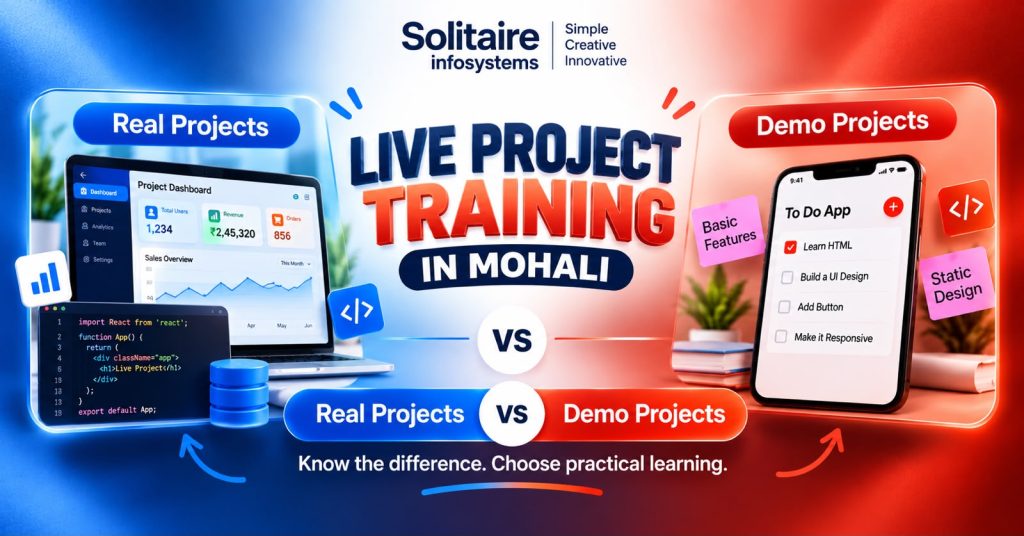
Live Project Training in Mohali: Real vs Demo Projects
Request a Quote !

Request a Quote !

Request a Quote !

Blogs

Live Project Training in Mohali: How to Tell a Real Live Project From a Demo

  • By: admin
  • date: Oct 31, 2026
Blog Image

A real live project has a genuine requirement behind it (a client, an internal team or actual users) and gives you a specific piece of work that someone reviews. A demo project is a guided exercise built to teach a concept. If you are comparing live project training in Mohali, that difference matters far more than the word “live” printed on a brochure.

Both have a place. Most beginners learn a new tool through demos. The trouble starts when demo work is sold as live project experience, and the student only finds out in an interview, when the panel asks, “What exactly did you build, and what went wrong?”

This guide covers how the two differ, seven checks to run before you enrol, and the questions worth asking any training provider.


What is live project training?


Live project training is practical training in which a student works on a project with a real requirement, such as a feature, report, test cycle or campaign that someone will actually use, while a mentor reviews the work.

What that looks like depends on your field. A web development trainee might build one feature of a client website. A data analytics trainee might clean a messy dataset and turn it into a dashboard the team uses every week. An SEO trainee might audit a live site and fix its metadata.

A useful live project usually takes you through most of these steps:

  • Reading and clarifying the requirement before writing a line of code
  • Working with the tools the team actually uses
  • Owning specific tasks, not just watching
  • Testing your work and fixing what breaks
  • Getting feedback and revising
  • Documenting what you did and explaining it to someone else


What is a demo project?


A demo project is a guided exercise created to show how a concept or technology works. The trainer builds it, and students follow along.

A classic example: the trainer builds a registration form in HTML, CSS and JavaScript, and the class rebuilds it step by step. That is a good way to learn. It is not project experience.

A demo becomes genuinely useful when you go past the instructions: add validation the trainer skipped, break something on purpose and debug it, or rebuild it without looking. That is where problem-solving starts.


Live project vs demo project: what is the difference?


Factor Live project Demo project
Purpose Solves a real requirement Teaches a concept or technique
Requirements Come from a client, team or users and often change Fixed in advance by the trainer
Your role You own specific tasks You follow guided steps
Problems Unexpected bugs, unclear specs, data issues Mostly planned in advance
Feedback Review of your actual contribution Checks whether you understood the concept
Output A feature, report, test suite or dashboard someone uses A practice example

Worth remembering: a project that looks polished is not automatically live. And a demo you have extended, broken and fixed yourself can teach you more than a “live” project where you only watched.


How do you tell if a live project is real? 7 checks


1. Ask what problem the project solves

Every real project exists for a reason: an existing product needs a feature, a process needs fixing, a client needs a report. A trainer should be able to explain that reason in a sentence or two without revealing confidential details. If the answer is “to learn React”, it is a demo.


2. Ask which tasks will be yours alone

“Hands-on training” tells you nothing about how much you will personally do. Ask for examples. A full-stack trainee might build a form, connect an API and fix a reported bug. An SEO trainee might run keyword research, rewrite page titles and prepare an audit. Vague answers usually mean group work where one person types and everyone else watches.


3. Check whether you are allowed to change things

Following instructions is how you start. Real learning shows up when you are allowed to try a different approach, improve a feature or rethink a layout. After building a login page, for instance, can you add input validation or better error messages yourself? You should be able to explain why you made each decision.


4. Ask what happens when something breaks

On real projects, things break constantly: a form submits empty data, a query returns duplicates, a dashboard total does not match the source sheet, a link 404s after a page move. Ask how trainees handle errors. If nobody mentions debugging or testing, the project is probably scripted.


5. Find out who reviews your work, and how often

Feedback is what turns practice into skill. Ask who checks your work (a developer reviewing code, an SEO lead checking page structure) and whether you get to revise after the review. A single sign-off at the end is not feedback.


6. Ask who will actually use the project

Projects can be built for a client, an internal team, a portfolio or a simulated environment. All of these can be valuable, but they are not the same thing, and you should know which one you are paying for. Note that on genuine client work, trainees rarely push changes live directly. Work usually goes through testing and approval first, which is normal.


7. Ask what you can show in an interview

Depending on the field, useful proof might be a Git repository, a working app, a set of test cases, a dashboard or a project report. Always get permission before sharing client data, source code or private datasets, and be ready to explain your own contribution honestly.


Red flags to watch for

  • Every batch works on the same “live project”, year after year
  • All students end up with an identical final output
  • There is no written brief or requirement document
  • Nobody reviews your work until the last day
  • The certificate is the main thing being sold


What does a practical project look like in each field?


If you are looking at live project training in Mohali, check that the project matches the technology you actually want to work in.


  • Full-stack development (MERN, React JS): building features, connecting APIs and databases, fixing reported bugs, testing before release.
  • Python and AI/ML: automating repetitive tasks, cleaning and preparing datasets, training and evaluating a basic model.
  • Data analytics: writing SQL queries, cleaning data, building dashboards and presenting what the numbers mean.
  • Software testing: writing test cases, logging defects, re-testing fixes.
  • Digital marketing and SEO: keyword research, competitor analysis, on-page fixes and performance reports.
  • UI/UX design: user flows, wireframes, and revising screens after usability feedback.

These are typical activities, not guaranteed deliverables. Any training provider should tell you which of them its program includes.


Common mistakes students make with project work


Trainers see the same few problems in almost every batch:

  • Writing “worked on a live project” on the resume with no detail. Recruiters skip it. Name the feature, the tools and what you personally did.
  • Copying the trainer’s code without understanding it. It works until an interviewer asks you to change one line.
  • Skipping testing because it “worked on my laptop”. Real users will find the empty field you never checked.
  • Sharing client screenshots or code without permission. It can cost you the reference you were hoping for.
  • Choosing a program on duration or price alone, without asking what project you will actually work on.


How long should live project training be?


Most B.Tech, BCA, MCA and diploma students have an internship or industrial training requirement built into their course (AICTE publishes a dedicated internship policy for technical institutions), so your college often decides the duration.

As a rough guide, 4 to 6 weeks is enough to complete one focused module or feature. Six months gives you time to go through a fuller cycle: understanding requirements, building, testing, getting feedback and revising, which is the experience interviewers ask about most. If your college allows a choice, pick the duration that lets you finish something you can explain end to end.


Questions to ask before you join


  1. What specific project will I work on?
  2. Is it a client project, an internal project or a practice exercise?
  3. Which tasks will I complete on my own?
  4. Which tools and technologies will I use?
  5. Who reviews my work, and how often?
  6. Will I learn testing and debugging?
  7. What will I have finished by the end?
  8. Can I show this work in interviews?
  9. What exactly is included in the fee?

Compare programs on the answers, not the promises.


Live project training in Mohali at Solitaire Infosystems


Solitaire Infosystems Pvt. Ltd. is a software development company in Phase 7 Industrial Area, Mohali, that also runs IT training for students and freshers. It offers 4-week and 6-week training, 6-month industrial training in Mohali and internships, including stipend-based internships.

Training tracks include Python, AI/ML, MERN stack, React JS, web designing, UI/UX, graphic designing, software testing, digital marketing, cyber security, networking and ethical hacking.

Use the questions above with Solitaire too. Ask which project your batch will work on, which parts you will own and who will review your work. A good training provider should be happy to answer all three.


Frequently asked questions


What is the difference between live project training and demo project training?

Live project training involves a real requirement from a client, team or users, with tasks you own and a mentor who reviews them. Demo project training uses guided exercises to teach concepts. Demos build foundations; live projects build experience.


Are demo projects useful for beginners?

Yes. Demos are the quickest way to understand a new tool. They become much more valuable when you extend them, add features the trainer skipped or debug them without help.


How can I check if live project training in Mohali is genuine?

Ask what problem the project solves, which tasks are yours, who reviews your work, who will use the finished project and what you can show afterwards. Clear, specific answers are a good sign. Vague ones are not.


Does live project training guarantee a job?

No. Project experience helps you prove practical skills, but hiring depends on your knowledge, communication, interview performance and the employer’s needs. Be cautious of any institute that guarantees a job.


Can I add a training project to my resume?

Yes, if you describe your own contribution accurately and have permission to share the details. List the technologies used, what you built or fixed, and the outcome.


Before you pick a program

Look past the label. A live project should give you a real requirement, your own tasks, honest feedback and something you can explain in an interview. A demo can still teach you a lot, as long as you know that is what it is.


Planning your internship or 6-month industrial training? Explore industrial training programs at Solitaire Infosystems in Mohali and ask about the project you would work on.

About the Author

Comments