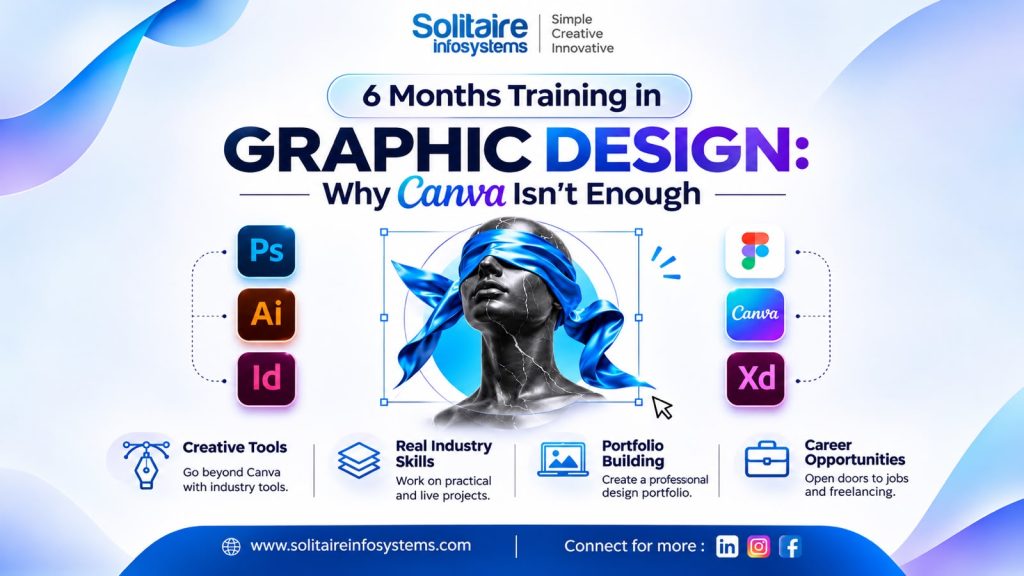
6 Months Training in Graphic Design: Why Canva Isn’t Enough - Solitaire Infosystems
Request a Quote !

Request a Quote !

Request a Quote !

Blogs

6 Months Training in Graphic Design: Why Canva Isn’t Enough

  • By: admin
  • date: Nov 17, 2026
Blog Image

Introduction: The Poster That Looked Great (Until the Client Saw It)

Here’s a story you may recognise.

A student opens Canva on a Sunday evening, picks a template, changes the colours, swaps the text, and exports a poster. It looks good. They post it, get a few likes, and feel like a designer.

Then a real client says, “Can you make this bigger for a hoarding? Also, we need the logo in one colour for the stamp. And can the same design work for Instagram, a brochure and a visiting card?”

Suddenly, the template is not enough.


That moment is exactly why people look for 6 months training in graphic design. Canva is a wonderful tool. We are not here to bash it. But a tool is not a skill, and clients don’t pay for tools. They pay for thinking, consistency and problem-solving.

In this blog, we’ll explain what Canva can and can’t do, what you actually learn in 6 months of structured design training, and how Solitaire Infosystems approaches graphic design training for students and freshers in Mohali and Chandigarh. By the end, you’ll know whether Canva alone is enough for the career you want.


What Canva Does Really Well (Let’s Be Fair)


Before we talk about limits, let’s give Canva its credit.

  • It’s fast. You can make a social media post in ten minutes.
  • It’s beginner-friendly. No installation headaches, no steep learning curve.
  • It’s great for small businesses that need quick, simple visuals.
  • It helps you understand basic layouts, colours and fonts without fear.

If you’ve never designed anything before, Canva is a perfectly good first step. Think of it as learning to ride a bicycle with training wheels.

But nobody gets hired as a professional cyclist for riding with training wheels.


Why Canva Isn’t Enough for a Design Career


  1. Templates make decisions for you

When you use a template, someone else has already decided the layout, the spacing, the font pairing and the visual hierarchy. You’re editing, not designing.

A client will never say, “Please edit this template.” They’ll say, “We need a brand identity for our new cafe.” That means a blank page, and a blank page is scary if you’ve only ever worked with pre-made layouts.


  1. You don’t learn the “why” behind good design

Why does this heading feel stronger than that one? Why does this colour combination feel calm and that one feel loud? Why does one logo look premium and another look cheap?

Canva lets you drag and drop. It rarely teaches you the principles underneath: contrast, balance, alignment, proximity, hierarchy, white space and typography. Without these, your designs look “okay” but never great.


  1. Everyone else is using the same templates

Scroll through any social media feed. You’ll spot the same layouts again and again. When thousands of people use identical templates, your work stops being distinctive.

A trained designer creates something original. That’s what employers and clients actually want to see in a portfolio.


  1. Industry software is a different world

Most design studios, agencies and print houses work with professional tools like Adobe Photoshop, Illustrator and InDesign, or CorelDRAW and Figma. These tools give you precise control over layers, vectors, colour modes, print resolution and file formats.

If a job description says “Proficiency in Photoshop and Illustrator required,” a Canva-only portfolio won’t get you through the door.


  1. Print and branding need technical knowledge

Quick quiz: what’s the difference between RGB and CMYK? What is bleed? What is DPI? Why does a logo need to be a vector?

If those questions made you pause, that’s the gap. Designs for print, packaging, hoardings and brand identity need technical knowledge that a template tool simply doesn’t teach.


  1. Clients need a designer who can think, not just a tool operator

A real designer listens to a brief, researches the audience, sketches ideas, builds concepts, takes feedback and improves the work. That process, not the software, is the real skill.


Canva vs Professional Graphic Design Training: A Quick Comparison


Canva Alone 6 Months Graphic Design Training
Learning style Edit existing templates Create from scratch
Design principles Rarely taught Core part of learning
Software One web tool Photoshop, Illustrator, Figma and more
Logo and branding Limited Full brand identity projects
Print knowledge Basic CMYK, bleed, resolution, file formats
Portfolio Template-based Original, client-style work
Job readiness Low to medium High

This isn’t about one being “good” and the other “bad”. It’s about knowing which one gets you where you want to go.


What Does 6 Months Training in Graphic Design Actually Teach You?


Six months is a sweet spot. It’s long enough to build real depth, and short enough to stay focused and affordable. Here’s how a well-structured 6 months training in graphic design program typically builds your skills, step by step.


Month 1: The Foundation


You start with the basics that every great designer relies on:

  • Design principles: balance, contrast, alignment, hierarchy, repetition
  • Colour theory and how colours create emotion
  • Typography basics: choosing, pairing and spacing fonts
  • Composition and layout
  • Sketching ideas on paper before touching a computer

This month alone changes how you look at every poster, packet and signboard around you.


Month 2: Photoshop and Image Editing


Now you get comfortable with professional software:

  • Layers, masks and selections
  • Photo retouching and colour correction
  • Creating social media creatives and banners
  • Photo manipulation and mockups


Month 3: Illustrator and Vector Design


Vectors are the backbone of logos and scalable graphics:

  • Pen tool, shapes and paths
  • Logo design from sketch to final file
  • Icons, illustrations and infographics
  • Exporting logos in the right formats


Month 4: Branding and Print Design


This is where you start thinking like a professional:

  • Building a complete brand identity: logo, colours, fonts, guidelines
  • Visiting cards, letterheads, brochures and flyers
  • Packaging and label basics
  • Print-ready files: CMYK, bleed, crop marks and resolution


Month 5: UI Basics, Social Media and Motion


Modern designers need to work across screens too:

  • Introduction to Figma and UI layout basics
  • Social media design systems and consistent campaigns
  • Basic motion graphics for reels and stories
  • Using AI tools responsibly to speed up ideas without losing originality


Month 6: Portfolio and Real Projects


The final stretch turns skills into proof:

  • Working on live-style client briefs
  • Building a professional portfolio
  • Presenting your work with confidence
  • Resume building, interview preparation and freelance basics

By the end, you don’t just “know software”. You have a body of work you can show.


The Skills You Gain Beyond Software


A good graphic design course teaches things Canva never will:

Creative thinking. You learn how to generate ideas, not just copy them. Sketching ten bad logo ideas to find one good one is a skill.

Taking feedback. Designers hear “Can you change this?” a hundred times. Training teaches you to take feedback calmly and improve.

Time management. Real projects come with deadlines. You learn to plan, prioritise and deliver.

Communication. Explaining why you made a design choice is half the job.

Attention to detail. One pixel off, one wrong font, one low-resolution image can ruin a design. Training sharpens your eye.


Career Options After 6 Months Training in Graphic Design


Once you complete structured training and build a strong portfolio, doors open in many directions:

  • Graphic Designer at an agency or in-house team
  • Social Media Designer
  • Logo and Brand Identity Designer
  • Packaging and Print Designer
  • UI Designer (junior level)
  • Freelance Designer on platforms and with local clients
  • Marketing Creative Executive
  • Video Editor and Motion Graphics Assistant (with extra practice)

And here’s something interesting: many students begin freelancing even before the course ends, because their projects are already client-ready.


How Solitaire Infosystems Approaches Graphic Design Training


At Solitaire Infosystems, we believe design is a craft you build by doing, not by watching. That belief shapes how graphic design training is approached for students and freshers in Mohali and Chandigarh.

Here’s what that looks like in practice:


Learn the tools and the thinking. Software skills and design principles are taught together, so you understand why a design works, not just how to build it.


Practice over theory. Students work on logos, posters, brand kits, social media campaigns and print layouts, not just exercises.


Sketch first, software second. Many of the best designs start on paper. Building the habit of sketching before opening Photoshop makes ideas stronger and less template-like.


Portfolio from day one. Every assignment is treated as a potential portfolio piece, so by the end you’re not scrambling to put one together.


Industry-style briefs. Instead of “design anything you like”, you get realistic briefs with audiences, constraints and deadlines, the way agencies and clients actually work.


A friendly, supportive environment. Beginners are welcome. You don’t need prior experience to start learning graphic design here.

Whether you’re a college student looking for industrial training, a fresher exploring a creative career, or someone switching fields, a structured six-month program gives you the time and guidance to grow properly.


Is 6 Months Training in Graphic Design Worth It? 5 Quick Signs It Is


You might be a great fit if:

  1. You enjoy noticing posters, logos and packaging and wondering how they were made.
  2. You’ve used Canva and now feel like you’ve hit a ceiling.
  3. You want a creative career but need a clear, structured path.
  4. You’re in college and need industrial training that gives you real skills.
  5. You’d love to freelance, work remotely or build your own design business someday.

If you nodded at two or more, it’s time to take the next step.


Tips to Get the Most Out of Your Graphic Design Training


  • Practise daily. Even 30 minutes of design practice makes a difference.
  • Collect inspiration. Save designs you love and ask yourself why they work.
  • Study real brands. Look at how big brands use colour, type and layout consistently.
  • Redesign things. Take a poor poster or logo you see and make it better.
  • Don’t fear ugly first drafts. Every great design started as a rough idea.
  • Ask for feedback early. Don’t wait for perfection before sharing your work.
  • Keep Canva in your toolkit. It’s still useful for quick tasks. Just don’t let it be your only one.


Frequently Asked Questions (FAQs)


Is Canva enough to become a graphic designer?

Canva is a good starting point, but it’s usually not enough for a full career. Professional roles expect knowledge of tools like Photoshop, Illustrator and Figma, plus design principles, branding and print knowledge.


Do I need drawing skills to join 6 months training in graphic design?

No. Basic sketching helps, but you don’t need to be an artist. Good design is about ideas, structure and communication, and all of these can be learned.


Can a beginner with no design background join?

Yes. A well-planned program starts from the basics and builds up gradually, so complete beginners are welcome.


What software will I learn?

Typically Adobe Photoshop, Adobe Illustrator and Figma, along with the basics of other tools used in print, social media and branding.


Will I get a portfolio at the end?

A good training program focuses on portfolio building throughout, so you finish with a collection of real, polished projects to show employers and clients.


Can I freelance after 6 months of graphic design training?

Many students start taking small freelance projects during or right after training, such as logos, social media posts and brochures, and gradually grow from there.


Is 6 months enough to learn graphic design?

Six months is enough to build a strong foundation, learn professional tools and create a solid portfolio. Mastery continues with experience, but you’ll be job-ready and confident.


Is graphic design a good career in India?

Yes. Businesses of every size need branding, social media content, packaging and digital creatives, so demand for skilled designers continues to grow across agencies, startups and freelance work.


Final Thoughts


Canva opened the door to design for millions of people, and that’s something to celebrate. But if you want to move from “I can make a post” to “I can build a brand,” you need more than templates.

You need design thinking, professional tools, hands-on practice and a portfolio that shows originality. That’s exactly what 6 months training in graphic design is built to give you.

And the best part? You don’t need to be born creative. You just need curiosity, consistency and the right guidance.


Ready to Go Beyond Templates? Take the “Canva Challenge” 🎨


Here’s a different kind of invitation.

Pick one design you made in Canva, the one you’re most proud of. Bring it along (a screenshot on your phone is fine) and visit Solitaire Infosystems in Mohali. Our team will sit with you, look at it together and show you three honest things: what’s working, what’s holding it back, and how it would look if built from scratch with professional tools and design principles.

No pressure, no hard sell. Just a real conversation about where you are and where 6 months of focused training could take you.


Message or call Solitaire Infosystems today to book your Canva Challenge session and start your graphic design journey.


About the Author

Comments