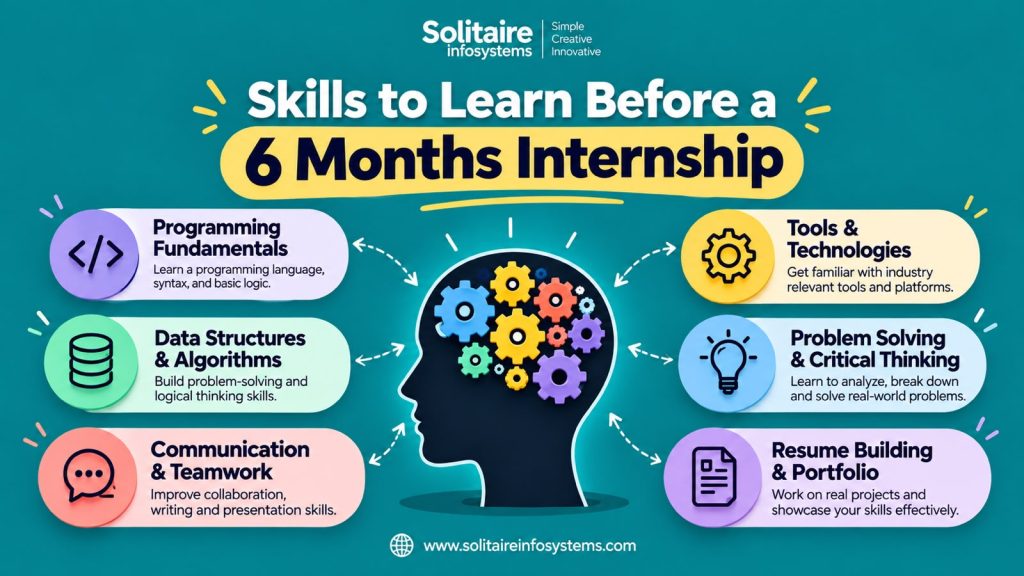
Skills to Learn Before a 6 Month Internship: The Boring Ones Nobody Mentions (Git, Excel, Email) - Solitaire Infosystems
Request a Quote !

Request a Quote !

Request a Quote !

Blogs

Skills to Learn Before a 6 Month Internship: The Boring Ones Nobody Mentions (Git, Excel, Email)

  • By: admin
  • date: Nov 2, 2026
Blog Image

Ask ten students about the skills to learn before a 6 month internship, and nine will say “Python,” “React” or “AI.” Those are great answers. They’re also the ones every other student gives.

Here’s what trainers at Solitaire Infosystems notice when new interns arrive. The ones who struggle in week one usually aren’t missing a fancy framework. They can’t save their work properly, can’t send a clear email, or open a spreadsheet and freeze.

None of these skills is exciting, but all of them decide how smooth your first month feels. Let’s go through them.


Why the “boring” skills matter more than you think


A six-month internship is long enough that your daily habits matter more than your best moments. You’ll write code, yes. You’ll also:

  • Share your work with a team
  • Report your progress
  • Keep track of tasks and data
  • Ask for help and answer questions

None of that happens in a code editor. It happens in Git, spreadsheets and your inbox. Learn these before day one, and you spend your first weeks learning the actual domain instead of figuring out the tools around it.


Skill 1: Git (your safety net)


Git tracks every change you make to your project. Think of it as unlimited undo, plus a record of who did what and when.

Why it matters for interns: In a team, nobody emails code files back and forth. Everyone works on a shared project, and Git keeps the pieces from colliding. If you break something, you can go back to the version that worked.

What to learn before you start (the basics are enough):

  • What a repository is
  • Cloning a project to your computer
  • Staging, committing and pushing changes
  • Pulling the latest work from teammates
  • Creating and switching branches
  • Writing a clear commit message (not “final2” or “fixed stuff”)

You don’t need advanced Git. Being comfortable with those six things puts you ahead of most beginners. A GitHub profile with real commits also gives you something to show later. We’ve covered that in our post on why every 6-month intern needs a GitHub profile.


Skill 2: Excel or Google Sheets (yes, really)


Students often roll their eyes at this one, especially tech students. Then an actual task shows up: tracking bug reports, comparing test results, cleaning a small dataset, planning a schedule, checking costs.

A spreadsheet is the quickest tool for all of that, and almost every team has one open at any time.

What to learn:

  • Sorting and filtering data
  • Basic formulas: SUM, AVERAGE, COUNT, IF
  • Lookups (VLOOKUP or XLOOKUP)
  • Simple charts
  • Pivot tables (even a beginner-level understanding helps)
  • Clean formatting, so others can read your sheet

This matters even more if you’re heading into data analytics, business analytics, digital marketing or software testing, where spreadsheets are part of daily work.


Skill 3: Professional email (the skill that shapes how people see you)


This is the one students underestimate the most. In an internship, your emails are often the first impression your seniors get of you.

A good work email:

  • Has a clear subject line (“Update: login page testing, Day 5” beats “Hello”)
  • Opens with a short greeting and gets to the point quickly
  • Is easy to scan, with short paragraphs
  • Says what you need and by when
  • Ends politely, with your name

What to avoid:

  • Writing like you’re texting a friend
  • Sending long, unbroken blocks of text
  • Forgetting the attachment you mentioned
  • Replying to everyone when only one person needed the answer

Try this at home: write an email asking a teacher for a deadline extension. If it’s clear, polite and brief, you’re already doing better than many beginners.


Bonus skills nobody puts on the list


Once Git, Excel and email feel comfortable, these four are worth adding.

  1. Reading documentation.
    You’ll constantly meet tools you’ve never seen. Interns who can read the official docs and figure things out are valued highly. Practise by picking any tool and solving one small problem using only its documentation.
  2. Basic command line.
    Moving between folders, creating files and running simple commands. It makes Git, servers and many developer tools much less intimidating.
  3. Asking good questions.
    “It’s not working” tells nobody anything. “I get this error when I click Save, I’ve tried X and Y, and here’s a screenshot” gets you a fast answer. Learning to describe a problem clearly saves everyone time.
  4. Writing short status updates.
    Three lines work well: what you did, what you’re stuck on, what’s next. Seniors love interns who do this without being asked.


A simple 4-week plan to get ready


You don’t need months. A little each day goes a long way.

       Week                               Focus                                                  Small goal
             1                          Git basics          Create a repository and make 10 meaningful commits
             2                      Excel / Sheets         Build one sheet with formulas, a chart and a pivot table
             3                   Email and writing        Write five work-style emails and a sample status update
            4         Docs, command line, questions             Solve one small problem using only documentation

By the end of the month, the tools around your work will feel familiar, and your internship can start on the work itself.


How we think about this at Solitaire Infosystems


At Solitaire Infosystems, we like our interns to see the full picture of how real work happens. That includes the technical side, and also the everyday habits that make someone good to work with: using version control, keeping things organised, communicating clearly and asking for help early.

Whether a student joins us for a software, data, AI, cybersecurity or digital marketing internship, these habits help from the first week. They’re easy to learn, and they make everything else easier.


FAQs:


  1. What are the most important skills to learn before a 6 month internship?
    Beyond your domain basics (for example Python, React or testing), focus on Git, a spreadsheet tool like Excel or Google Sheets, and professional email writing. Add reading documentation, basic command line and asking clear questions.
  2. Do I need to know advanced coding before starting an internship?
    No. Internships are designed for learning. A solid grasp of the basics and a willingness to learn matters more than advanced knowledge.
  3. Is Git really necessary for beginners?
    Yes, if you’ll work with code at all. Teams use it to share and track work, so knowing the basics (clone, commit, push, pull, branch) helps you from day one.
  4. Why is Excel important for tech and non-tech interns?
    Spreadsheets are used for tracking tasks, comparing results, cleaning data and reporting progress in almost every field. Basic formulas, filters and charts go a long way.
  5. How can I improve my email writing before an internship?
    Practise writing short, clear emails with a specific subject line, a direct first sentence and a polite close. Ask a friend or mentor to read them and tell you what’s unclear.
  6. How long should I prepare before a 6 month internship starts?
    Even two to four weeks of steady, small practice is enough to cover the basics. You don’t need to master anything, just be comfortable.
  7. Can I join Solitaire Infosystems as a complete beginner?
    Yes. Our internships are built for students at different levels, and our trainers guide you step by step. Getting these basics in place just helps you settle in faster.


A note from the Solitaire team


Here’s something we’d tell any student sitting across from us:

Nobody expects you to know everything on day one. We do notice the students who show up having done a little homework: they can save their work, send a tidy email and aren’t scared of a spreadsheet. It tells us they take things seriously, and it gives them a head start.

So pick one skill from this post and start today. When you’re ready to turn that preparation into real project experience, we’d be glad to meet you.

Talk to our team at Solitaire Infosystems:
www.solitaireinfosystems.com
+91-98766 56700

Start small. Start now. The boring skills pay off the longest.


About the Author

Comments